How to create an unlicensed user in the Microsoft 365 admin centre
- Browse to https://admin.cloud.microsoft/#/homepage
-
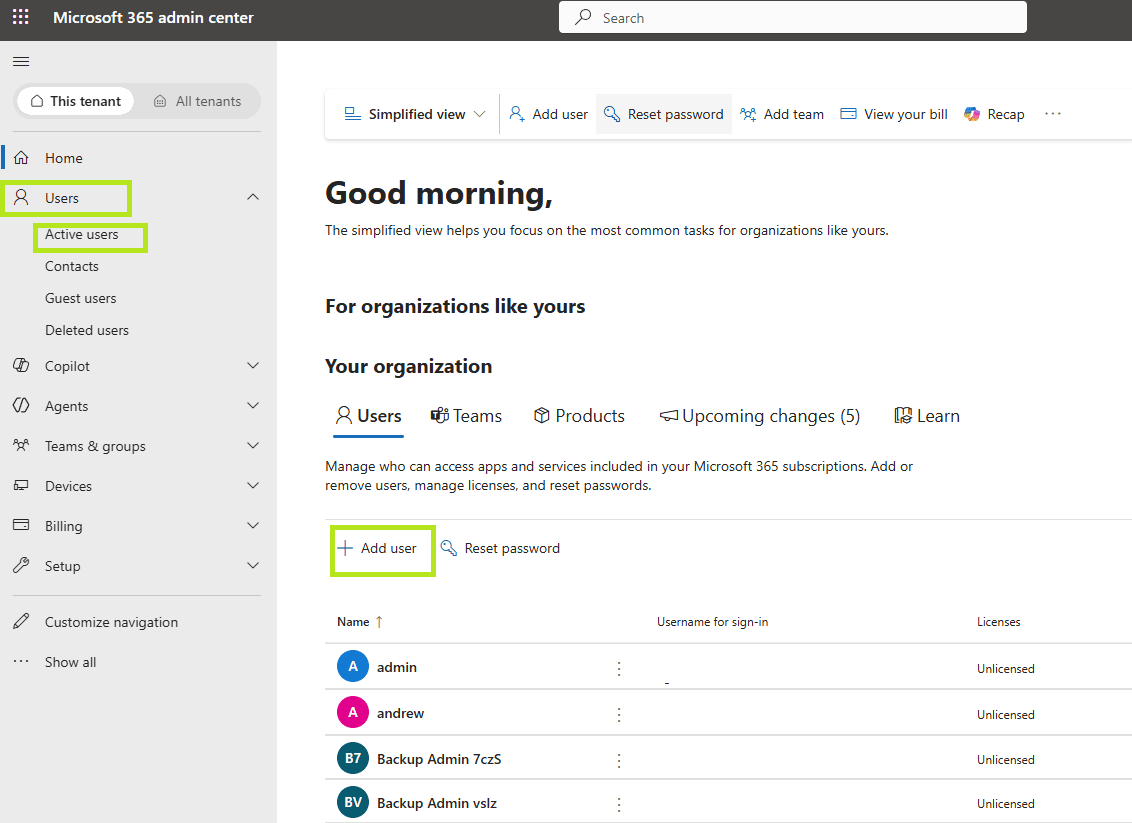
Open Users then Active users and click Add a user.

-
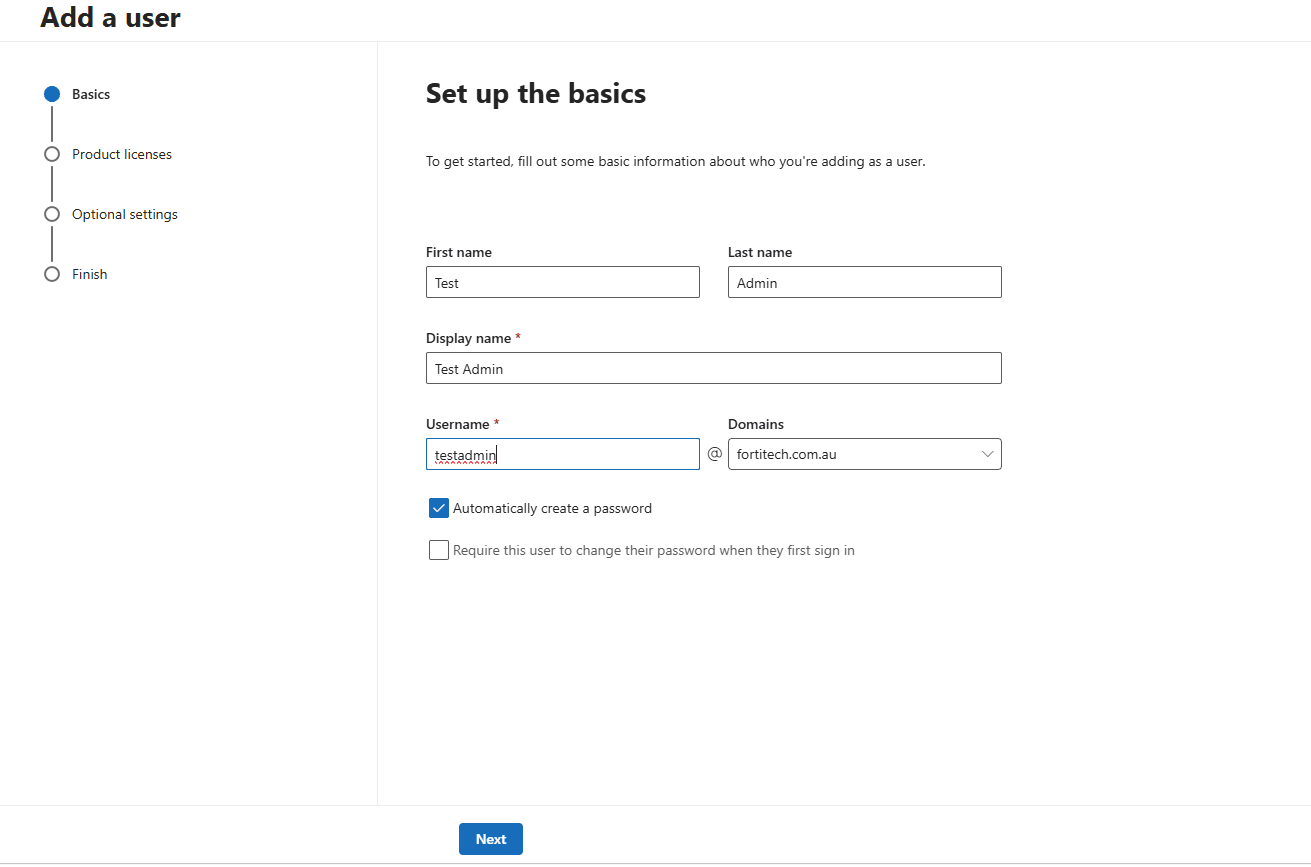
Fill in the details, entering the first name, last name and the username you want, then click Next.

-
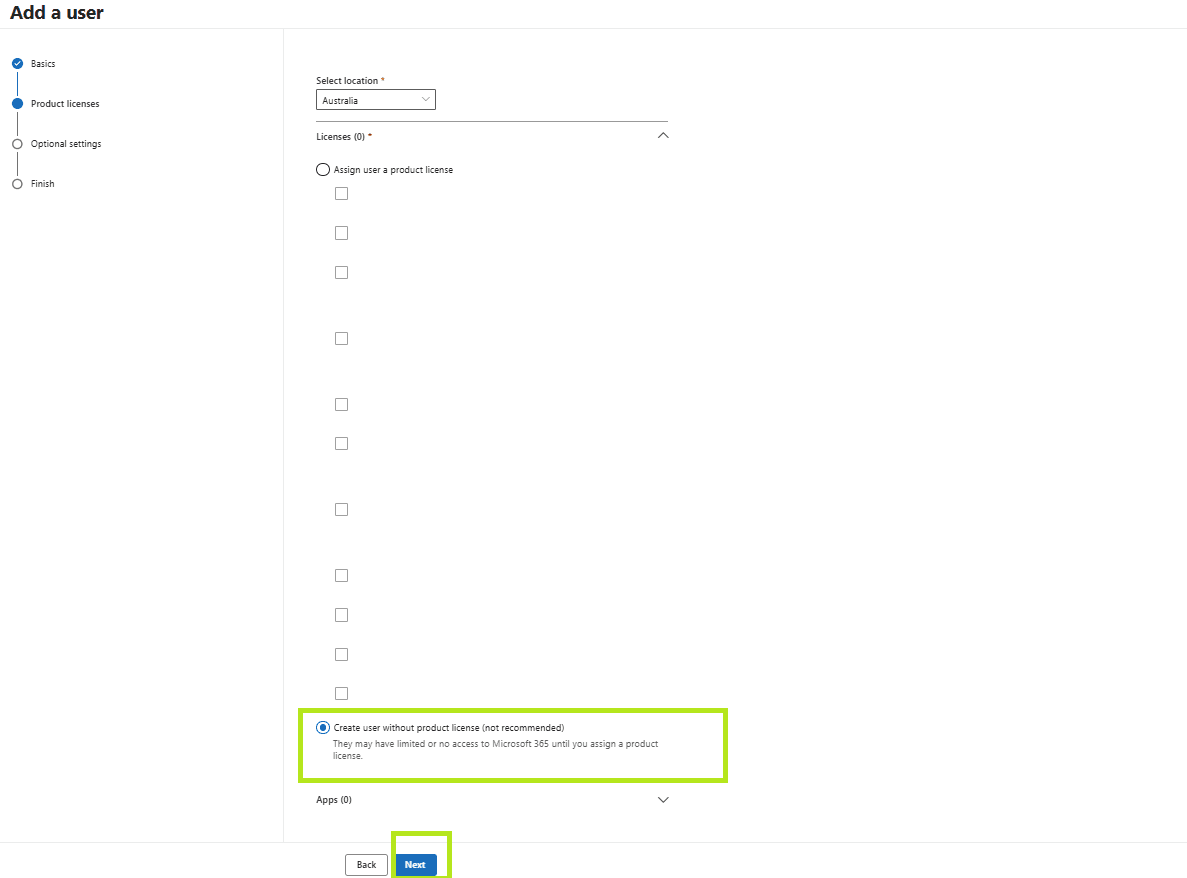
On the product licences page, choose Create user without product license (not recommended).

-
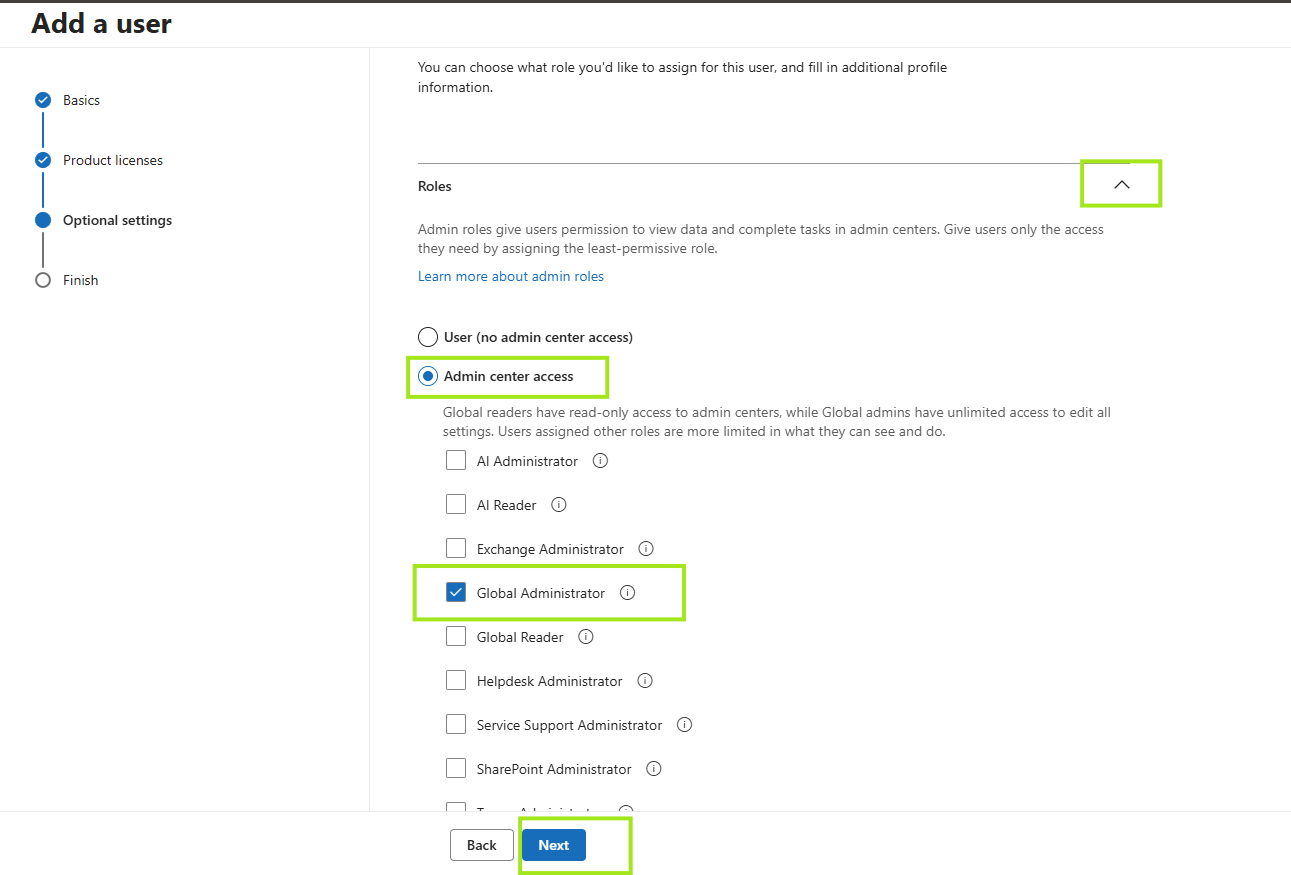
If the account is going to administer your tenant, expand Roles under optional settings and choose one. Global
Administrator is
the most permissive.
'%3E%3Crect x='0' y='0' width='1024' height='692' fill='%23f6f7f6'/%3E%3Cg transform='scale(4.00) translate(0.5 0.5)'%3E%3Crect fill='%23000000' fill-opacity='0.50' x='0' y='171' width='256' height='2'/%3E%3Cellipse fill='%23000000' fill-opacity='0.50' cx='140' cy='172' rx='181' ry='2'/%3E%3Cellipse fill='%23313031' fill-opacity='0.50' cx='111' cy='0' rx='147' ry='1'/%3E%3Crect fill='%23001376' fill-opacity='0.50' x='103' y='164' width='13' height='7'/%3E%3Cellipse fill='%23ffffff' fill-opacity='0.50' cx='201' cy='106' rx='64' ry='64'/%3E%3Cellipse fill='%234c4b4a' fill-opacity='0.50' cx='20' cy='5' rx='14' ry='2'/%3E%3Cellipse fill='%23ffffff' fill-opacity='0.50' cx='31' cy='110' rx='59' ry='59'/%3E%3Crect fill='%23ccdfac' fill-opacity='0.50' x='79' y='66' width='42' height='16'/%3E%3Cg transform='translate(108.15 117.92) rotate(89.41) scale(10.56 29.69)'%3E%3Cellipse fill='%23d8e8c1' fill-opacity='0.50' cx='0' cy='0' rx='1' ry='1'/%3E%3C/g%3E%3Cellipse fill='%23000000' fill-opacity='0.50' cx='147' cy='172' rx='172' ry='2'/%3E%3C/g%3E%3C/g%3E%3C/svg%3E)
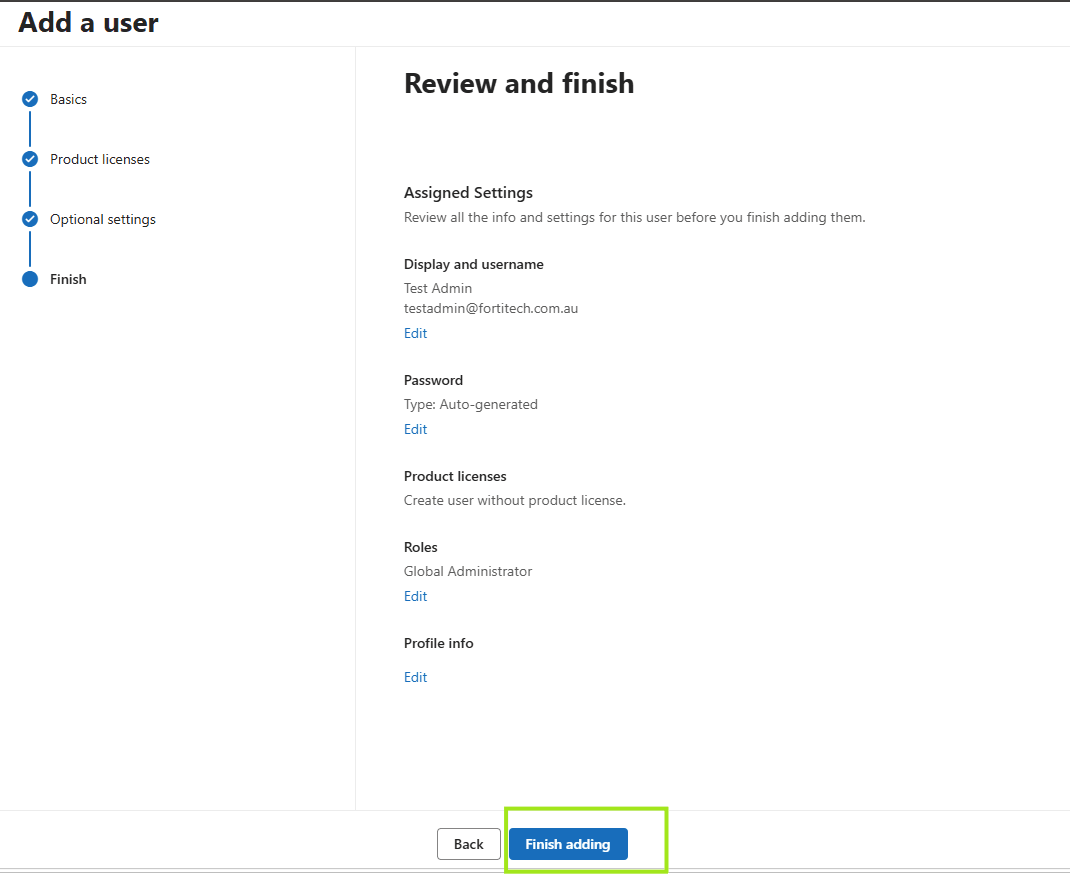
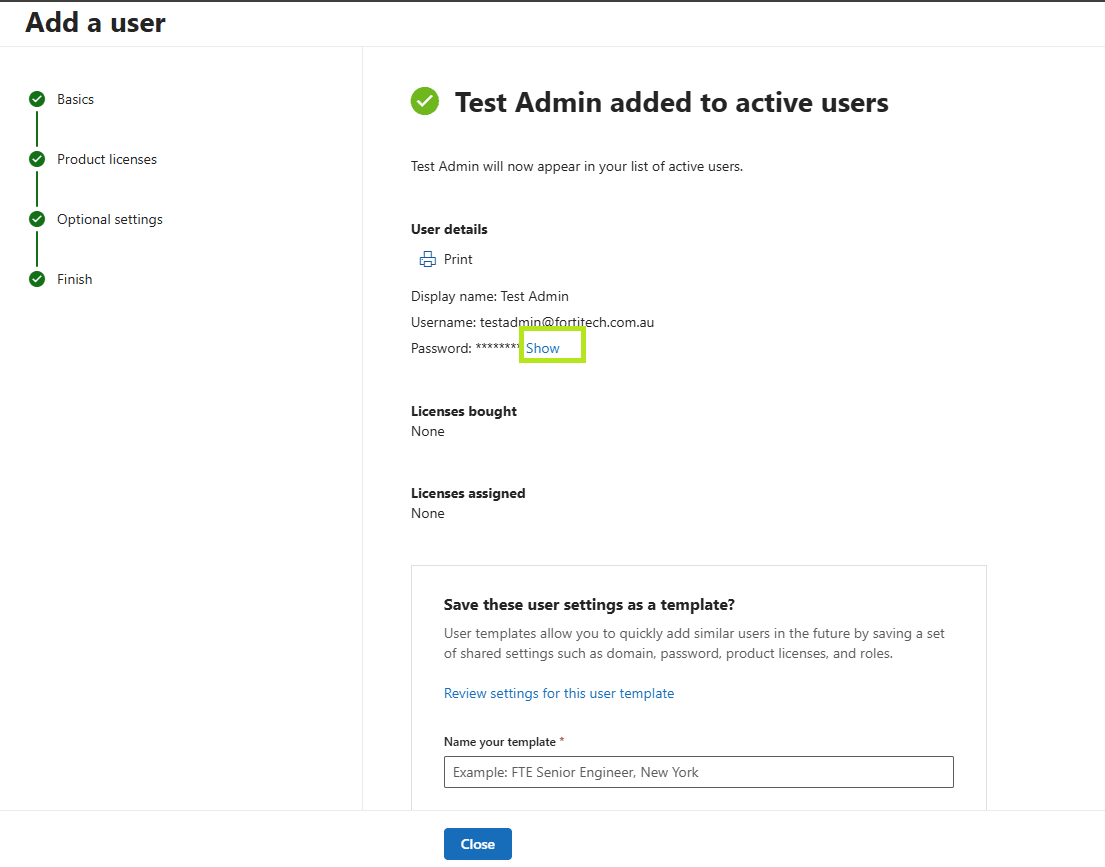
- Click Next and finish adding. The account credentials are shown on the last screen, so capture them before you close it.